 Marginalia
A notebook of your own.
Create a notebook and give it a topic. Choose paper pages or a flowing document, then make room for the next thought.
For people who like to go a little deeper.
The article you want to finish. The podcast that gets you thinking. The note you don’t want to lose. One personal library for all of it.
Join the 1.0 launch listLocal-first. Optional relay hosting is planned. No payment today.
Built for Apple. Android, Windows, and Linux are planned, too.
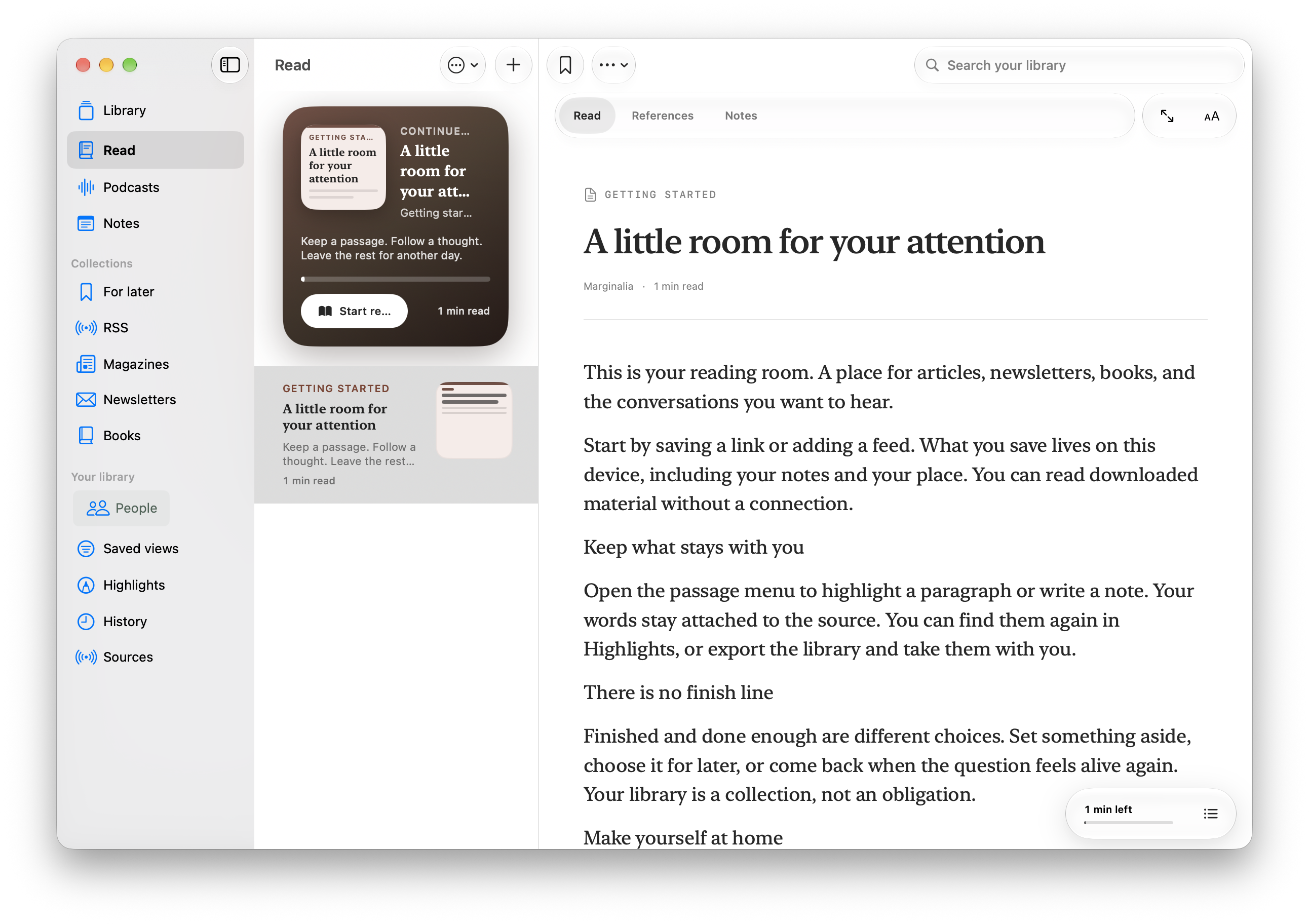
Articles, podcasts & notes together
Built for Apple. More platforms planned.
Local library, iCloud sync
A little room for your attention.
A read-later queue here. A podcast app there. Notes somewhere else. Marginalia brings reading, listening, and the thoughts between them into one personal library.
01 / Save & read
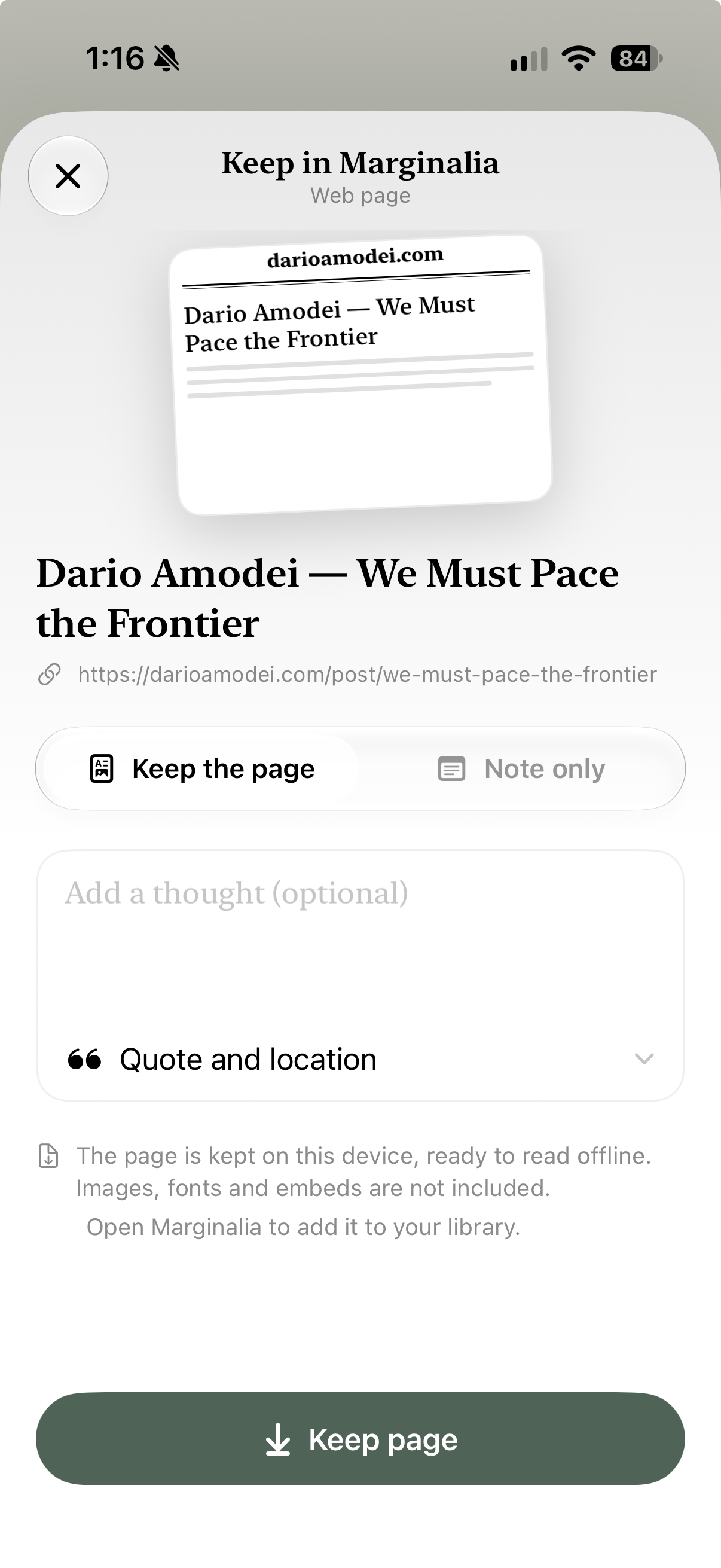
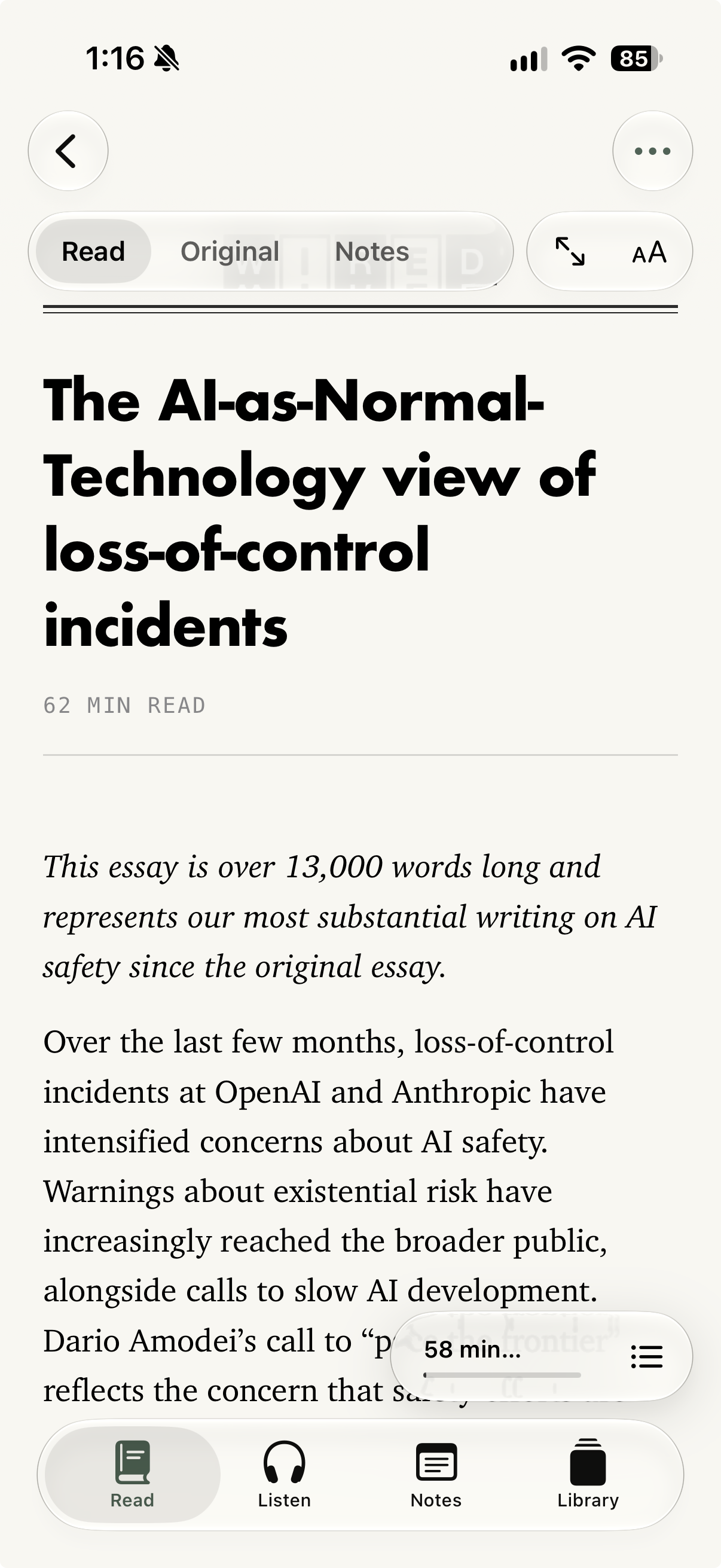
Keep a page from another app, add a thought while it’s fresh, and return to a focused reader. Your highlights and notes live alongside what you saved.
02 / Listen & remember
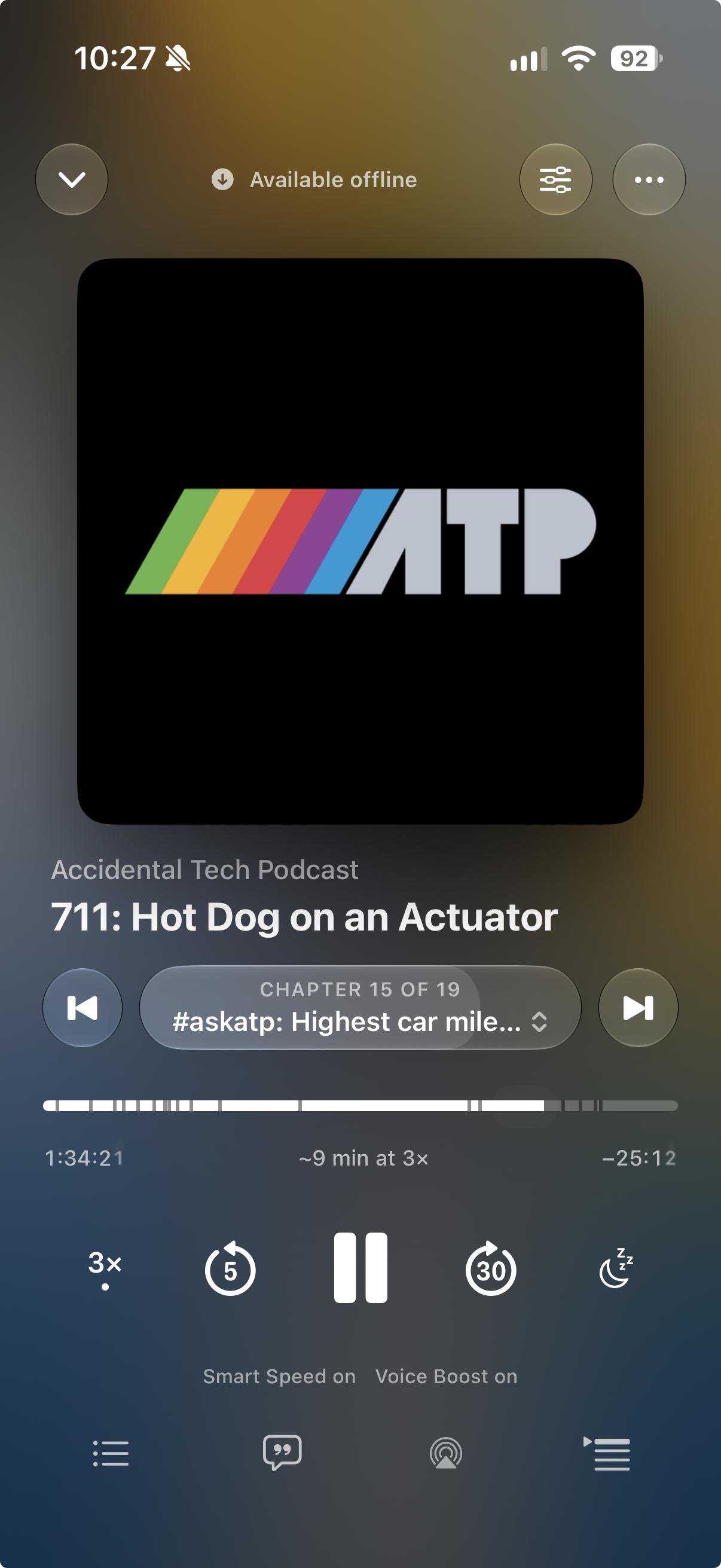
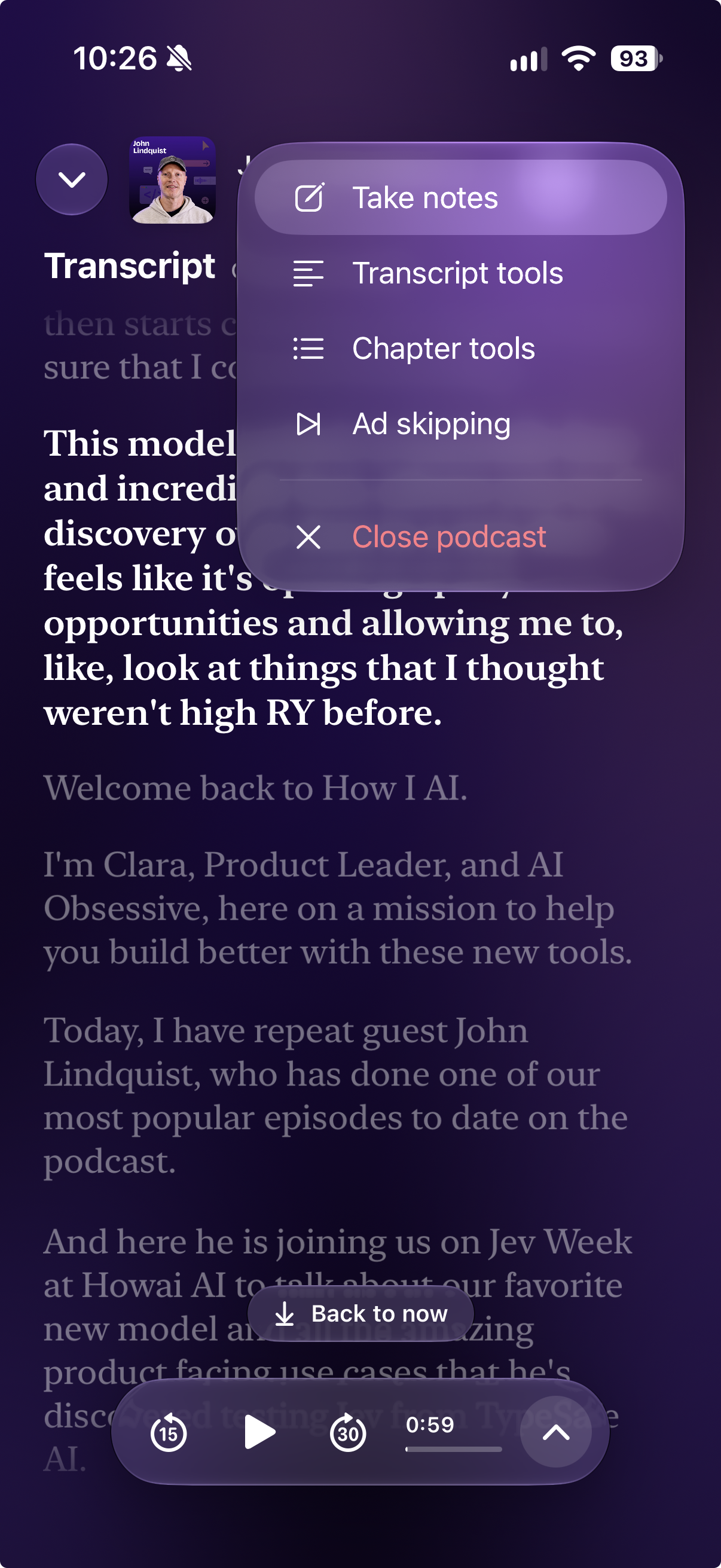
Find your next episode, download it for later, and listen your way. When a thought lands, notes and transcript tools are right there.
03 / Notes & notebooks
A thought doesn’t have to begin with a link. Start a notebook for a class, a project, or something you’re working through. Bring your reading and listening into it when they belong.
Create a notebook and give it a topic. Choose paper pages or a flowing document, then make room for the next thought.
Link an article or episode to a notebook. The original stays in your library, so your ideas keep a path back to what inspired them.
Use plain text or Markdown, or handwriting on iPad. Export a page when you want to take your work somewhere else.
04 / Your library. Your say.
Your reading, listening, notes, and connections belong together. Marginalia gives them a home you control—even when you use different AI tools.
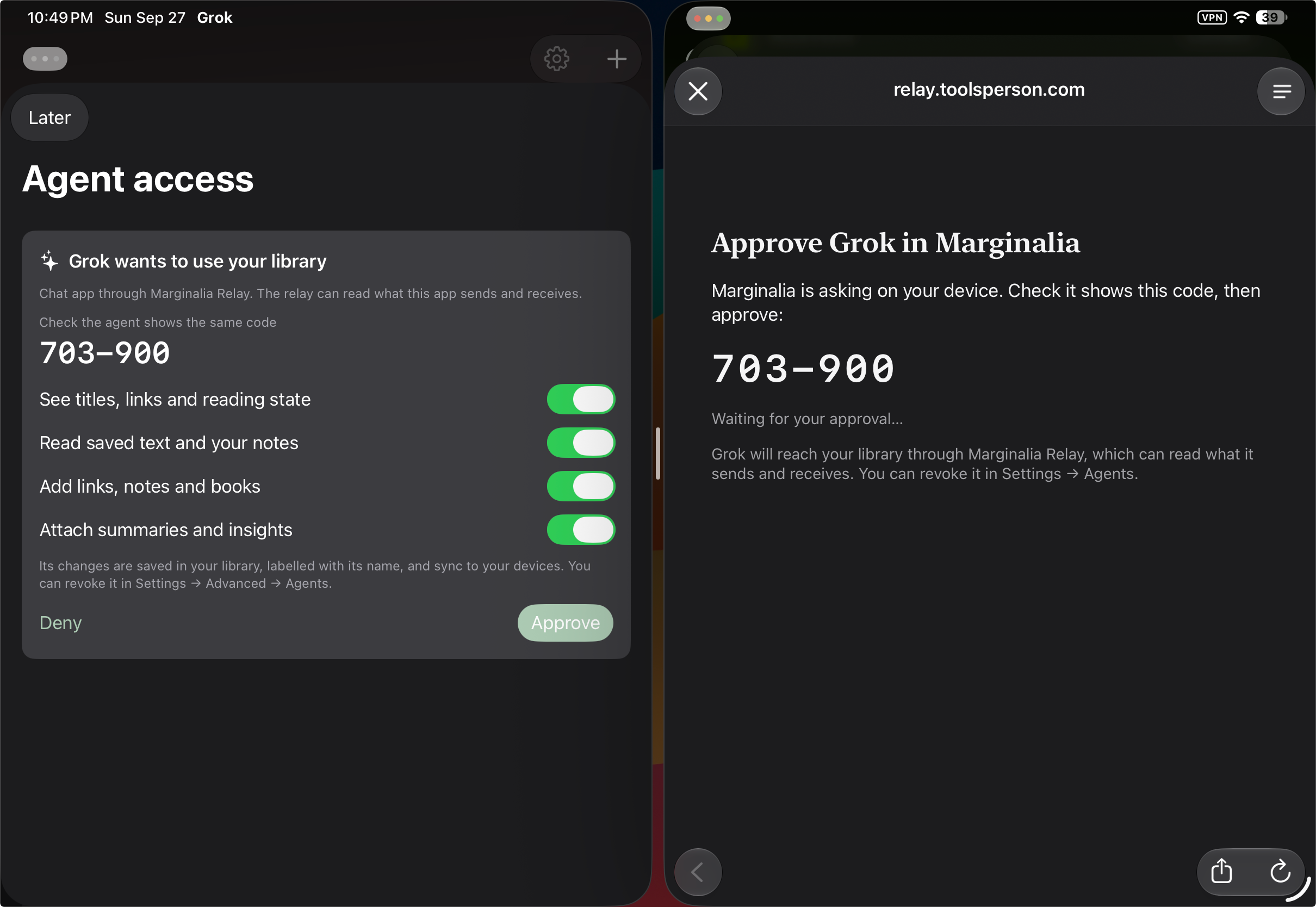
Choose what an agent can see, then approve the connection in Marginalia. Sealed bridge traffic is encrypted to your library. Chat forwarding is readable to the relay; the optional Hosted Agent sends selected text to Cloudflare AI. Read about these connections.
Optional LUFF-hosted relay service
$100/year standard relay hosting
$60 for your first year when you join the waitlist
Be here for 1.0
Read, listen, and keep notes on your device. Local use needs no subscription or server.
Hosted relay services are a separate, optional convenience. Choose LUFF hosting when available, or run the planned self-hostable services yourself.
Join the launch list and request a TestFlight invitation for a closer look at Marginalia.
Invitations arrive by email from TestFlight once your beta request is invited. Beta availability and features may change.
Be here for 1.0
Get one email when 1.0 is ready. Request a beta invitation if you’d like to try Marginalia.
A few things to know
Purchases will open after Marginalia is listed on the App Store under our company’s name. Renewal and rate-lock terms will be shared before purchase. The launch date will be shared when ready. No payment is collected here. Your first year begins when you purchase hosting.
Remote agent access requires a hosted relay plan or a self-hosted gateway. Our hosted plans and self-hosting options are planned for 1.0. Hosting pays for connectivity and operation; your library remains yours to keep and export.
A local agent on the same Mac can connect without an external relay. You choose what an agent can see and approve its connection. We’ll share supported remote integrations as they become available.
Marginalia is in beta. Join the launch list to hear when 1.0 is ready and request an email invitation to the TestFlight beta. Invitations depend on beta availability.
Marginalia is designed for iPhone, iPad, and Mac, with a TestFlight beta invitation for iPhone. Android, Windows, and Linux are planned. Tell us which platforms you’d use in the optional questionnaire. We’ll share availability and device requirements as each release is ready.
Nothing to pay today. Your signup gives LUFF permission to send one email about Marginalia’s 1.0 launch and pricing. Only one—that’s a promise. Local use needs no subscription or vendor account. LUFF-operated relay services are planned as an optional subscription, and those services are planned to be self-hostable. The waitlist offer is $60 USD for the first year of LUFF-hosted relay service, whose standard price is $100/year. This is separate from local access and ownership of your data. Renewal and rate-lock terms will be shared before purchase. Purchases open only after the app is listed on the App Store under our company’s name. Feedback is optional and criticism is welcome.
No server is needed for a local library on one device. Optional relay services are planned for connected workflows. You’ll be able to choose LUFF hosting or run those services yourself. We plan to release relay source code when charging begins; the source is not available yet.
Yes. After signup, you can submit a separate application. Approved ambassadors may receive free access. Applications are reviewed manually; applying does not guarantee acceptance or an award. We’ll share the award terms before you accept.
LUFF stores them privately in Cloudflare to plan Marginalia’s launch and send the single launch-and-pricing email you requested. No newsletter or follow-ups. If you request a beta invitation, LUFF may share your email with Apple to invite you through TestFlight. We don’t sell the responses. After signing up, save your private removal link to withdraw consent and delete your response at any time. Unconverted launch responses are kept for up to 12 months after 1.0 launches, then removed. Removing your LUFF signup does not remove an accepted TestFlight membership; use Stop Testing in TestFlight to leave the beta.
Made by LUFF. Built for your attention.
Made better with you
Tell us what’s missing, or what would make your day a little easier. Suggestions are free.
Choose to be thanked by name if your suggestion ships.